
No paper.
No chasing.
Just golf.
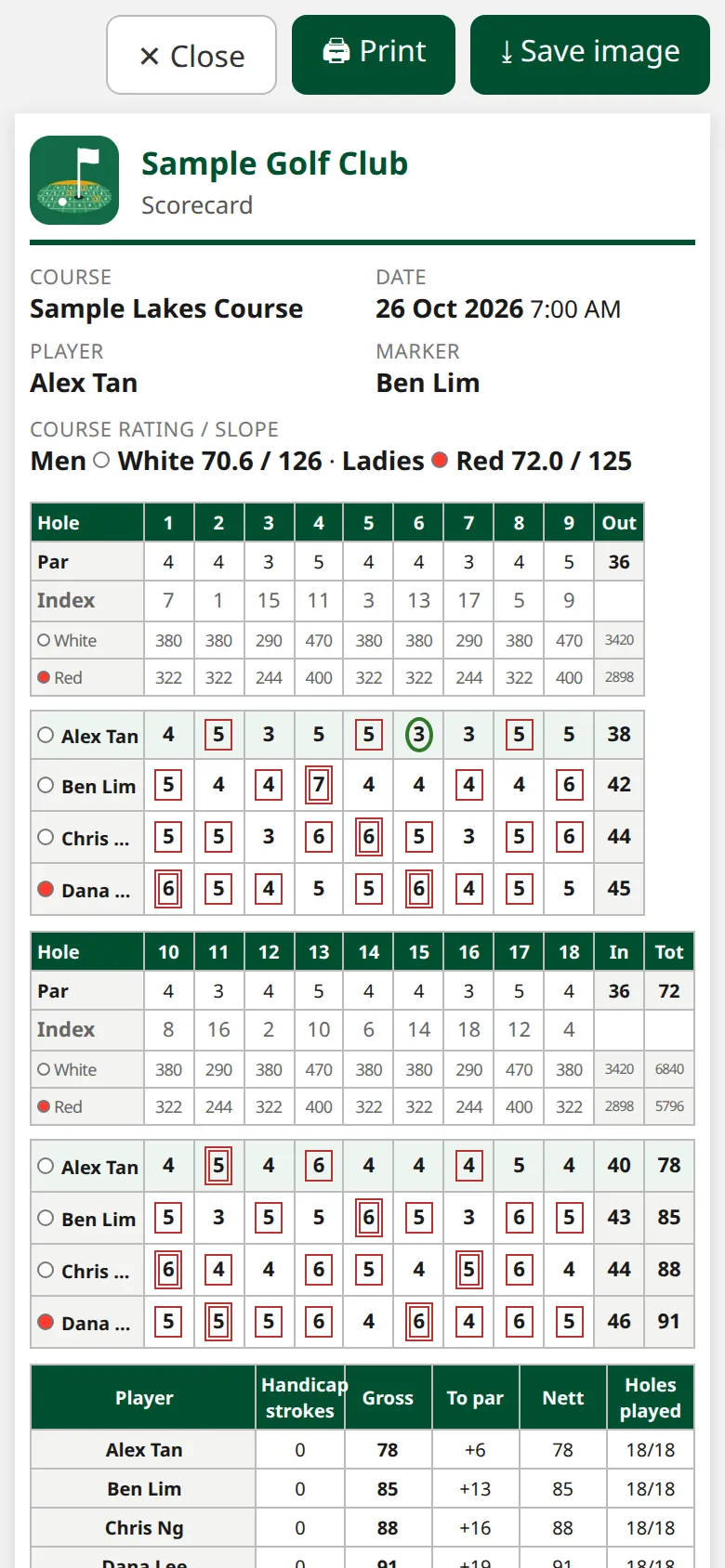
Scorecards and alerts on every phone, every flight live in your office, and your club's logo on every official scorecard. No app to install.
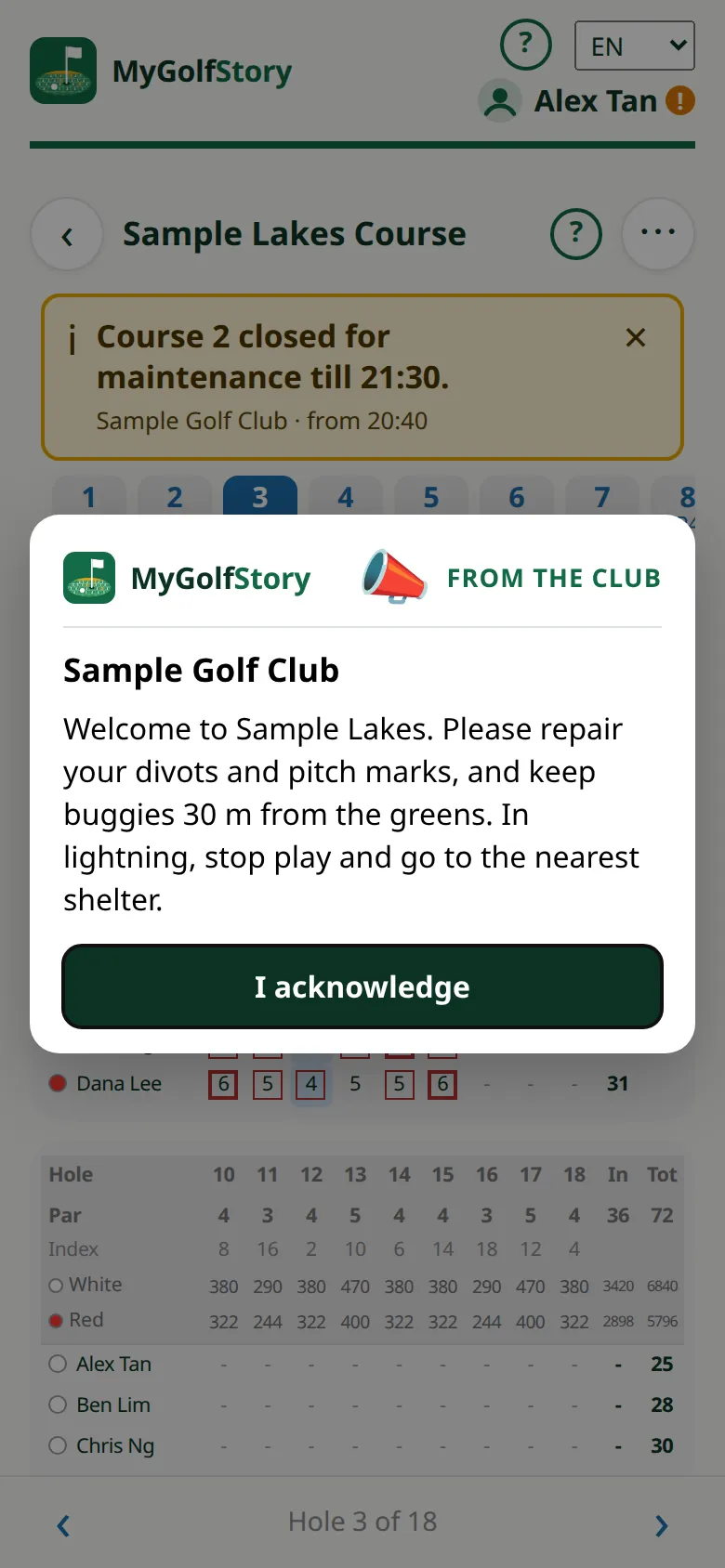
Weather alerts and club notices
Lightning? Every flight knows in seconds.
One message from the office shows on every player's scorecard, on the course or at the half-way house, and again when it reopens.
- Urgent or notice. Red and pulsing for a closure, amber for everything else.
- Set the times. Choose the courses, when it shows and when it stops. It can quote the reopening time for you.
- Ready to send. Keep your club's usual messages as standard messages, in your order.
- End it or replace it. Take a notice off the cards early, or end the current one when the new one starts.
Lightning: course closed till 15:30. Please take shelter.Your Golf Club · from 14:52
Course open again. Play on!Your Golf Club · from 15:30
Live course
Every flight, every hole, live.
A column for each of the day's flights, with minutes and finish time on every hole. Green is on target, amber behind or held up, red behind with an open hole in front.
- Slowest today is named for you.
- Line view: each nine in a straight line, every flight on the hole it has reached.
- See the gaps: a tee time gone by with no flight is an empty column.
- Message one flight: let the group behind through. It pops up on their card until they acknowledge it.
- Starter hut tablet: big type. Tap a flight to see its players.
- Any earlier day: pick a date and see how it went.
| Hole | Lee ·212:53 T1−5 mins | Ng ·212:33 T1−3 mins | Tan ·412:04 T1+5 minsSlowest | Koh ·407:42 T1→ 12:11 4h 29m |
|
|---|---|---|---|---|---|
| 1par 4 | 12:53 | 12:33 | 12:04 | 07:42 | |
| 2par 4 | 11′ 13:04 | 11′ 12:44 | 16′ 12:20 | 15′ 07:57 | |
| 3par 3 | 11′ 13:15 | 11′ 12:55 | 16′ 12:36 | 13′ 08:10 | |
| 4par 5 | ► 18′ | 11′ 13:06 | 16′ 12:52 | 17′ 08:27 | |
| 5par 4 | 11′ 13:17 | 16′ 13:08 | 15′ 08:42 | ||
| 6par 4 | ► 16′ | 16′ 13:24 | 15′ 08:57 | ||
| 7par 3 | ► 9′ | 11′ 09:08 | |||
| 8par 4 | 16′ 09:24 | ||||
| 9par 5 | 17′ 09:41 |
Sample flights. On a phone, scroll sideways to see them all.
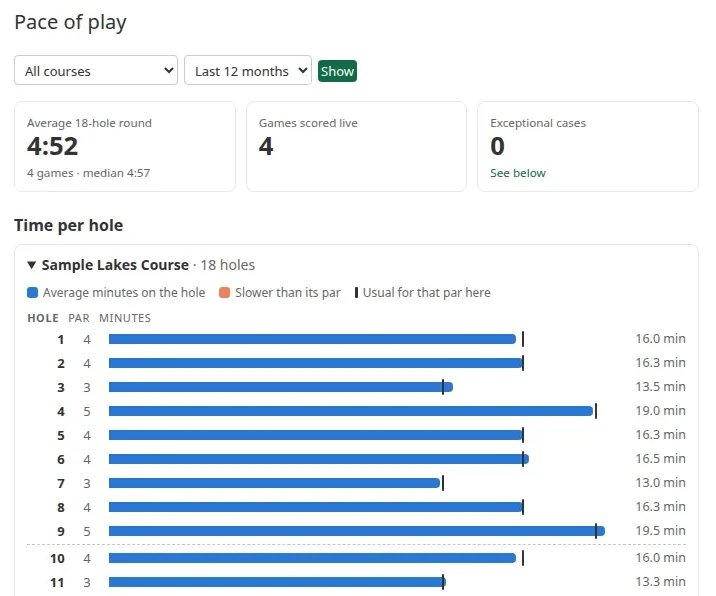
Pace of play
See the slow holes and the slow players.
- Every hole timed against your targets, from games scored hole by hole.
- Your own targets. Set the minutes for each hole and the tee interval for each course.
- Players, slowest first. Everyone with 3 or more games there, with those slower in most of their games marked.
- Traffic-light log. Every press of a blind hole's light: when, which hole, the colour and who pressed it.
What your club gets
The rest of the day, handled
On the hole card
Traffic lights
A light on each blind hole. Red holds the flight behind, green lets it play, and red clears by itself after a few minutes.
Buggy rule
Each hole card says whether buggies may go on the fairway or must keep to the cart path.
Welcome at tee-off
Your message pops up as a game starts: course rules, dress code, events.
Who acknowledged
A list of each player, game, course and time, with the message as they saw it.
Side games for all
Every side game comes free to the players on your courses.
Sun and glove mode
Black on white with big buttons, for players in bright sun or wearing a glove.
Scorecards
Paperless cards
Signed on the phone by player and marker, locked and kept. Print an official card only when needed.
Your logo
Your club's name and logo on every official scorecard.
Every game on your courses
Search by course, organiser or player, and print any player's official card.
Members
Members join by QR
Your club's sign-up code fills in the home club. Print a QR for each course too: scanning it starts a game there.
Your member list
See the players who chose your club, their games and when they were last seen. Search by name, email or membership number.
Help at the desk
Add a player, correct a name or HCP, and send a password-reset link.
Courses
Your course, your data
Tees, course rating and slope for each category, plus par, index and each tee's distance for every hole.
Course closures
Set the reason, the times and the layout while holes are closed. Games not yet scored switch to it.
Claim your course
A player added it before you joined? Claim it for your club.